
Short answer
The right encrypted note taking app depends on who else needs the notes. For one person, Standard Notes or Notesnook encrypt everything end-to-end by default. For a team that shares, searches and connects AI, the choice is who holds the keys: Baalda seals each vault with team-held keys, but it is not end-to-end.
An encrypted note taking app is one that keeps your notes unreadable to anyone without the key, and the useful question is who holds that key. For one person, the answer is simple: pick an end-to-end encrypted app such as Standard Notes or Notesnook, and only your devices can read your notes.
A team has a harder choice, because a team's notes have to be shared, searched and increasingly read by an assistant. The comparisons that rank for this query mostly judge these apps for a single user. This one looks at what happens when five people need the same notes, and it is written by the people behind Baalda, an open-source team second brain whose encryption is deliberately not end-to-end. The reasons, and the cost, are below.
What makes a note taking app encrypted?
The word covers three different things, and marketing pages rarely say which one they mean.
- Encrypted in transit. The connection is protected. Almost every app does this, and it says nothing about who can read the stored notes.
- Encrypted at rest, with keys the provider holds. The stored data is scrambled, but the company can unscramble it. Notion's security page describes "TLS 1.2 or higher" in transit and "AES-256" at rest, and makes no end-to-end claim. Apple Notes works this way by default: Apple's iCloud data security overview lists Notes as encrypted in transit and on the server, with the keys held by Apple.
- End-to-end encrypted. Notes are encrypted on your device with a key the provider never has. A breach of the server yields nothing readable, and so does a court order to the provider.
Baalda sits between the last two, which is unusual enough to get its own section further down.
Which encrypted note taking apps are end-to-end?
As of 4 November 2026, from each vendor's own documentation:
| App | End-to-end? | Team sharing | Live editing |
|---|---|---|---|
| Standard Notes | Yes, free plan too | Collaboration "out of scope" | No |
| Notesnook | Yes, by default | One note as a link | Not listed |
| Joplin | Once you turn it on | Joplin Cloud notebooks | Not documented |
| Obsidian Sync | Yes, by default | Shared vault, one password | No |
| Apple Notes | With Advanced Data Protection | Only if everyone has it on | Not checked |
| Proton Docs | Yes | Per document | Yes, documents only |
| Notion | No claim on its security page | Full workspace | Yes |
| Baalda | No, team-held keys instead | Per note and per folder | Yes |
The "No" entries come from those vendors' help pages. Standard Notes and Notesnook both use XChaCha20-Poly1305, and Obsidian Sync uses AES-256-GCM. Obsidian's shared vaults take up to 20 people, and Joplin's sharing needs encryption on at both ends.
For one person writing a journal, client notes or anything else nobody else needs, the top two rows are the answer. Standard Notes has the stronger paper trail, with four third-party security audits listed on its site, the latest from 2022. Notesnook is open source under GPLv3, client and server, and I found no third-party audit on the pages I read.
What does end-to-end encryption cost a team?
Less than it used to, and the cost is not where most people assume. Proton Docs shows live co-editing can be end-to-end encrypted, so "encrypted apps cannot collaborate" is no longer true. Three other costs remain.
Key sharing gets crude. Obsidian's shared vaults are the clearest case. If a vault is end-to-end encrypted, "collaborators must enter the encryption password", and the help page adds that "fine-grained permissions are not supported yet", so everyone receives the same access as the owner. One password across a team is a shared secret with no per-person limit, and per-file permissions are what a team usually wants first. Apple's version has a different weak point: shared notes stay end-to-end encrypted only "as long as all participants have Advanced Data Protection enabled". One colleague without it, and the shared note is not protected that way.
The server cannot do work on your behalf. Standard Notes says this directly: server-side collaboration software "requires the server to be able to parse and understand user content, which does not meet our security standards". That is an honest position and the right one for that product. It also means anything that has to run while your laptop is shut, such as search across the whole team's notes or a public link, has nothing it can read.
An assistant needs plaintext anyway. This is the one that has changed in the last two years. If Claude or ChatGPT is to read your notes, it has to receive the words. Whatever encryption you chose, the text an assistant reads leaves the encrypted zone and goes to the company running the model. A team that wants an AI working from its notes around the clock has already decided some software will see them, so the real decision is which software, under whose control, and what is left behind if the database leaks.
How does Baalda encrypt a team's notes?
Each synced vault gets its own random 32-byte key, and the content is sealed with AES-256-GCM. The key sits in the operating system keychain on each member's device. It is sealed to each member with their own X25519 key pair, so the server stores wrapped copies it cannot open and never writes the key itself to disk.
When your device talks to the server, it sends the key with the request. The server uses the key in memory to run sync, search, version history and MCP, then discards it. So the database and its backups hold ciphertext for note content, the search index and version history, and a copy of the database alone does not give anyone your notes.
Assistants are handled the same way. Each MCP token stores only a hash, plus the vault key wrapped under a key derived from that token's own secret. A call unwraps it, uses it and zeroes it. That is why an assistant connected over MCP keeps working when nobody on the team has the app open, which a fully end-to-end design could not offer. What it can reach is still limited to what the connected person can open, as covered in is MCP safe.
If you run your own server, this is off until you switch it on:
BAALDA_VAULT_KEYS=onThe full design is public in the repo, and the short version is on the security page. Because Baalda is Apache-2.0, you can read the code that handles your key rather than take this post's word for it.
Where does Baalda's encryption stop?
This list matters more than the section above it.
- It is not end-to-end. A running server sees plaintext and keys while it works, so a deliberately modified server build could capture them. On the managed plan, that means trusting Baalda. If that is unacceptable, self-host, or use one of the end-to-end apps.
- Not everything is sealed. Note titles, file and folder paths, sizes, timestamps, membership and sharing rules stay readable to the server. So do attachment bytes, which get only the storage provider's own protection, and team skill files.
- Files on your laptop are plain markdown. That is the point of a local-first app, and it means your disk encryption (FileVault, BitLocker) is what protects them. Obsidian's documentation says the same of its own vaults: it "doesn't encrypt your local vault".
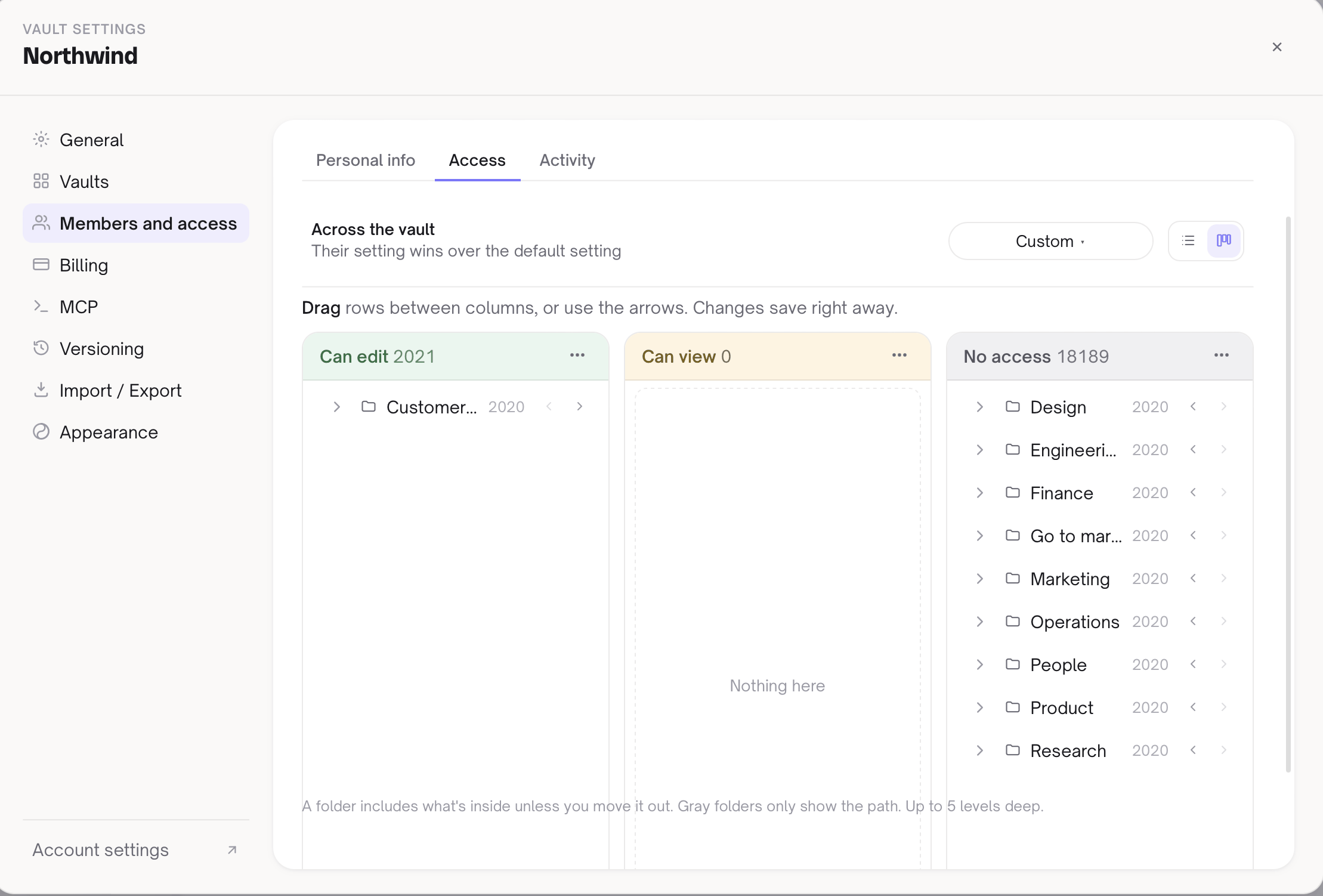
- One key per vault. Per-note and per-folder access is enforced by the server, not by separate keys.
- Removing a member does not rotate the key. Their copy is deleted from the server, and their desktop removes its copy from the keychain once it learns the membership ended. Anything already on their disk stays there.
- A recovery copy can exist. Baalda's key documentation describes a temporary launch safety net: while it is switched on, one copy of each vault key is sealed to a recovery key held offline by Baalda, and its holder could read any vault. On a server you run yourself, you decide whether it is set.
- Losing every device can lose the vault. A solo owner who never saved the vault key cannot recover the server copy.
Which encrypted note taking app should a team choose?
Start from what you are protecting against, not from the word on the box.
- Nobody but us may ever read this, including our provider. Use end-to-end encryption and accept the limits. Standard Notes or Notesnook for individuals, Obsidian Sync with a shared password for a small trusted group, Proton Docs if live co-editing on documents matters more than a notes system.
- A leaked database must not expose our notes, and we want shared search, live editing and AI. That is what Baalda's vault keys are for, and self-hosting removes Baalda from the trust chain altogether.
- We need compliance paperwork more than cryptography. Look at the certifications and key management on an enterprise plan. Notion's security page offers customer-managed encryption keys for Enterprise, and that may matter to your auditor more than anything here. Baalda is the wrong pick if a procurement form has to say end-to-end encrypted.
The mistake is buying the strongest encryption and then pasting the notes into a chat window to get work done. Decide where the plaintext is allowed to go first, then choose the app that matches.