
Short answer
Notion suits teams that work in databases, Confluence suits companies on Jira, and Guru suits answers that must be verified as current. Baalda suits a team that wants its knowledge kept as markdown files. Before buying, check the exit: Guru deletes data 90 days after you cancel, while Baalda's server goes read-only and the files stay on every laptop.
The best team knowledge base software is Notion for a team that writes in databases, Confluence for a company already on Jira, Guru for answers that must be verified as current, and Baalda for a team that wants its knowledge as markdown files it keeps. The list matters less than one question most buyers skip: what is left in your hands the day you stop paying.
Every round-up ranking for this search grades the editor, the search box and the AI assistant. Those are the things you use in the first month. The thing you live with in year four is the exit, because a knowledge base is the one tool a team fills for years and then has to move. So this page grades six tools on three things a buyer can check from the vendor's own pages before signing: the price per seat, the format of a whole-workspace export, and what happens to the content after the subscription ends.
Which team knowledge base software should you pick?
Prices are from each vendor's pricing page as of 20 November 2026. "Whole export" is the format an admin gets for the entire workspace, not one page at a time.
| Tool | Best for | Price per seat | Whole export | After you stop paying |
|---|---|---|---|---|
| Notion | teams that live in databases | Plus $10 a month yearly, AI on Business at $20 | Markdown pages, CSV for databases | not documented |
| Confluence | companies already on Jira | list prices changed 13 Oct 2026, use Atlassian's calculator | HTML, XML, CSV or PDF per space | about 15 days of access, then deletion |
| Guru | support and sales answers that must stay verified | $25 a month yearly, minimum 10 seats | Collection .zip, or a .csv of cards | kept 90 days, then deleted for good |
| Slite | a small team that wants a calm, simple wiki | from $8 a month on its pricing page | Markdown or HTML archive, by email | not documented |
| Tettra | Slack-first teams answering repeat questions | check its pricing page | HTML, from the app settings | not documented |
| Baalda | markdown files the team owns, with AI over MCP | free for 2 people, Team $10 a month, minimum 3 | none needed, the notes are already .md files | server goes read-only, local files stay editable |
Two honest notes before the detail. "Not documented" means I could not find the vendor saying it, not that the content vanishes. And none of these is a bad product. Guru's verification and Notion's databases are things Baalda does not have at all, and both get their own section below.
What does each knowledge base cost per seat?
Notion Plus is $10 per member a month billed yearly, or $12 monthly, and it carries only a trial of Notion AI. AI comes with Business at $20 per member a month yearly, and since 2 November 2026 that AI is metered in credits per member.
Guru's self-serve plan is $25 per seat a month with AI credits included, and Guru sets a minimum of ten seats, so the smallest bill is $250 a month. Its Enterprise tier has no published price.
Confluence changed the list price of its cloud plans on 13 October 2026, and the figures quoted around the web predate that, so the only number worth trusting is the one Atlassian's own calculator gives you for your seat count. Slite's pricing page starts at $8 per member a month. Tettra's current price list did not show up on any page I could verify, so check it directly.
Baalda's managed backend is free for two people and one synced vault. Team is $10 per seat a month, or $110 per seat a year, with a minimum of three seats. Self-hosting the Apache-2.0 server has no plan limits at all. Full detail is on the plans page.
What do you get back when you export?
This is where the tools split, and it decides how much a migration costs you later.
Notion's export is the best of the hosted tools. An admin can export the whole workspace: ordinary pages come out as markdown, full-page databases as CSV with a markdown file per row, and callouts as HTML because markdown has no equivalent. Notion's own help page warns that the whole-workspace export "may have some trouble completing for particularly large workspaces", with the workaround of exporting top-level pages one at a time, and the download link expires after seven days.
Confluence exports a space, not a workspace, as PDF, CSV, HTML or XML. The XML and CSV routes exist to move a space into another Confluence. The HTML route is the one you would take to leave, and Atlassian notes that blog posts and page comments are not included in it. None of the four is markdown, which is the subject of a whole post on Confluence alternatives that keep the markdown.
Guru offers two exports: a Collection export as a .zip, which its help page describes as a backup "for future import" into Guru, and a Card Manager export as a .csv for an editable copy. Slite sends the workspace owner a .zip of markdown or HTML by email, with a link valid for fifteen days. Tettra exports HTML from its app settings.
Every one of those is a snapshot. It is correct on the day you take it and stale the day after, and the team keeps writing in the tool while you plan the move.
What happens to your knowledge after you cancel?
Guru answers it plainly: "Guru will retain your workspace data for 90 days post-cancellation. After 90 days, your data will be permanently deleted and cannot be recovered." Atlassian's support page for Confluence Cloud gives about fifteen days of access after the subscription period ends, then a retention period, then permanent deletion. Both tell you to export first, and both are right to.
That is normal for hosted software and it is not a scandal. It does mean the knowledge base has a clock on it that starts when the contract ends, and whoever is doing the migration is doing it against that clock.
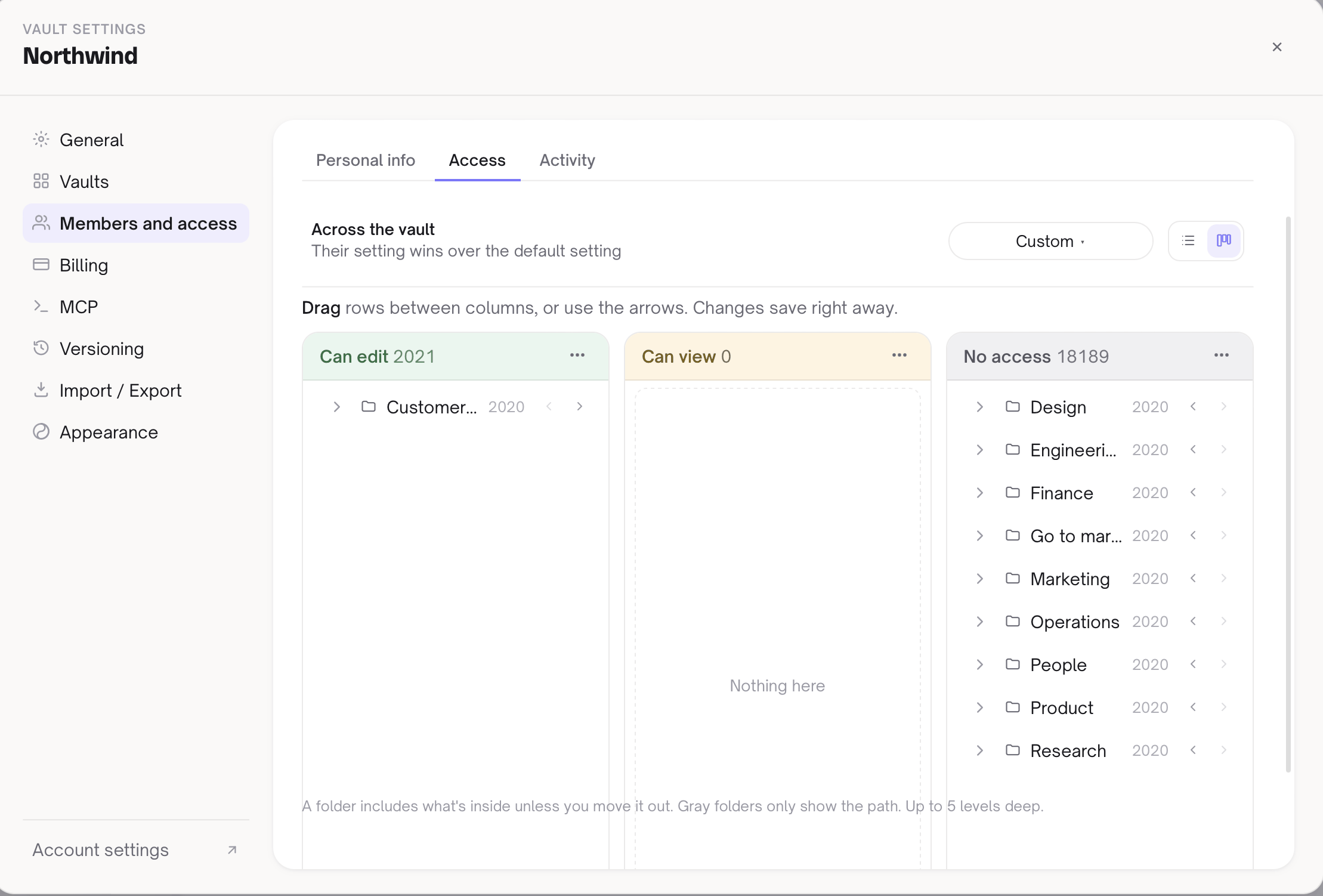
Baalda is built so there is no clock, and the reason is where the notes live. A Baalda vault is a folder of plain markdown files on each member's own disk, synced between them with real-time multi-user editing. The managed server holds the shared copy and the permissions, not the only copy. When a Team subscription lapses, the docs describe exactly one consequence: "The account syncs read-only. Your local files stay fully editable, because they are files on your disk and nothing about them depends on a subscription." The server answers writes with a 402 account_read_only error until the plan is resumed or the vault is back under the free limits. Nothing is deleted.
So the exit is not an export. It is the folder you already have:
~/Baalda/acme/
  onboarding/first-week.md
  engineering/deploy-and-rollback.md
  decisions/2026-11-04-move-billing-to-stripe.md
Those files open in any editor, Obsidian included, and they go into Git or a new tool without a converter. If you would rather never depend on a vendor's server at all, the server is Apache-2.0 and you can run it yourself, which is covered in self-hosted knowledge base with AI.
Can the team's AI read and write the knowledge base?
Notion Business includes Notion AI inside Notion, and Guru and Slite sell AI answers over their own content. That AI works on the vendor's copy and stops when the subscription does.
Baalda takes the other route. It exposes the vault over MCP, so each person connects the assistant they already use, Claude, ChatGPT, Cursor or Codex, with their own token. The assistant searches, reads and edits notes with the same per-folder permissions as the person who connected it, so it cannot open a folder they cannot. When it writes a fix, the fix lands in the same markdown file the next teammate opens. The longer version of why that matters is in company brain.
Where is Baalda the wrong team knowledge base?
More often than a vendor page would admit.
- Everyone has to read it in a browser. Baalda is a desktop app for macOS, Windows and Linux with no web client and no mobile app. Notion, Confluence, Guru, Slite and Tettra all open from a link.
- Answers have to be proven current. Guru's verification puts a named verifier and an interval on every card, and an edit by anyone else unverifies it. Baalda has nothing like it.
- The team runs on databases. Notion's databases, views and relations have no equivalent in Baalda, which is notes in folders with links between them.
- You need a public help centre. Baalda's public link shares one note, read-only. Buy a help-centre product.
So which one should you buy?
- Your team plans, tracks and writes in one place. Notion, on Business if you want its AI.
- Engineering already lives in Jira. Confluence, and export each space on a schedule.
- Support and sales need answers they can trust. Guru, and budget for the ten-seat minimum.
- A small team wants a simple wiki and markdown backups. Slite, and turn on its automatic monthly backup.
- The knowledge has to stay the team's files, with every assistant reading and writing through the same permissions. Baalda, after reading the browser limitation above. For the wider wiki comparison, see best wiki software.