
Short answer
Project knowledge takes files up to 30MB each, with no limit on the number of files, as long as the total fits Claude's context window. On paid plans Claude switches to RAG near that limit, which Anthropic says expands capacity up to 10x. A team usually hits a different limit first: uploads are copies, and nothing updates them when the source changes.
The size limits on Claude project knowledge are real, and most people hit them sooner than they expect. They are also the smaller problem. For one person they decide how much fits in a project. For a team sharing one project, the harder limit is that every file in it is a copy, and a copy starts going out of date as soon as you upload it. Below are the limits as Anthropic states them, then where a team can keep the source instead. We build Baalda, a shared markdown vault that Claude reads and writes over MCP, so we cover where it helps and where it does not.
What are the limits on Claude project knowledge?
As of 19 November 2026, Anthropic's help centre lists three, in its article on what you can upload:
| Limit | What Anthropic says |
|---|---|
| File size | 30MB per file |
| Number of files | Unlimited, but total content must fit within Claude's context window |
| Content | Text extraction only, except for multimodal PDFs |
The same page adds that "additional token limits may apply based on the length of extracted content". So the number that matters is tokens, not megabytes. A 2MB PDF of dense text can use more of the budget than a 25MB PDF that is mostly scanned images.
The context window itself depends on the model. Anthropic's context window article gives 1M tokens for Opus 5.5, Sonnet 5.5 and Haiku 5.5 on paid plans, and 200K for most other models, which it describes as about 500 pages of text. Pages that give one fixed token figure per plan are not quoting Anthropic.
What happens when project knowledge gets too big?
On paid plans, Claude changes how it reads the project. Anthropic's RAG for projects article says that when project knowledge approaches the context window limit, Claude "will automatically enable RAG mode to expand your project's capacity by up to 10x". A badge on the project shows it has switched over. If the knowledge later shrinks below the threshold, the project can switch back.
RAG changes what Claude sees. Below the threshold, the whole project sits in the context window and Claude reads all of it on every turn. Above it, Claude uses "a project knowledge search tool" to fetch the passages that look relevant and reads only those. That is how 10x more content fits, and it is why a fact buried in a large project can be missed when the question is phrased differently from the text. You cannot switch this on or off. Anthropic says activation "is handled automatically". If the difference between the two modes is new to you, second brain vs RAG covers it, and context rot explains why a fuller window does not mean better recall.
On the free plan none of this applies. The project stops at the context window.
Why do a team's project files go stale?
Because project knowledge is an upload, and nothing updates an upload.
Anthropic's guide to managing projects describes adding knowledge one way: click "+" and "upload relevant documents, text files, or code snippets." The pricing doc, the onboarding guide and the architecture notes you upload are snapshots. When someone edits the original in Google Docs, Notion or a repo the next morning, the project keeps the old version until somebody remembers to delete it and upload the new one.
There is one exception, and it leaves teams out. The Google Drive connector can add a Google Doc that "continues to sync with the most up-to-date version in Google Drive", but the same article says it "is only available when adding to Files in private projects. This option will be disabled for shared projects." A project your team shares gets uploads only.
Three more things from the sharing article shape how a shared project behaves:
- Sharing is Team and Enterprise only. On Pro and Max a project belongs to one person.
- Only "Can edit" members change the knowledge. "Can view" members can chat in the project but cannot fix a file they know is wrong.
- Claude does not write to it. Nothing in the project documentation describes Claude updating a knowledge file. When it learns that the pricing doc is out of date, the correction stays in that one chat, which other members cannot see by default.
Project memory does not close the gap. The memory article says "each project has its own memory" and that it "is deleted when the project is deleted". It is Claude's summary, held in Claude's account, not a document the team can open, edit and review.
Where should the source live instead?
Somewhere the team edits every day, which Claude can read live and correct. For us that is a Baalda vault. Here is how it works.
Baalda is a team second brain built on plain markdown files on your own disk. Several people edit the same note at once, permissions are set per folder and per note, and the vault is exposed to assistants over MCP at /api/mcp. In Claude you add that URL as a custom connector under Settings → Connectors and sign in with your own account. On the managed service it is https://api.baalda.com/api/mcp. Self-hosted, it is your own domain plus the same path. The Claude Desktop setup post walks through each step.
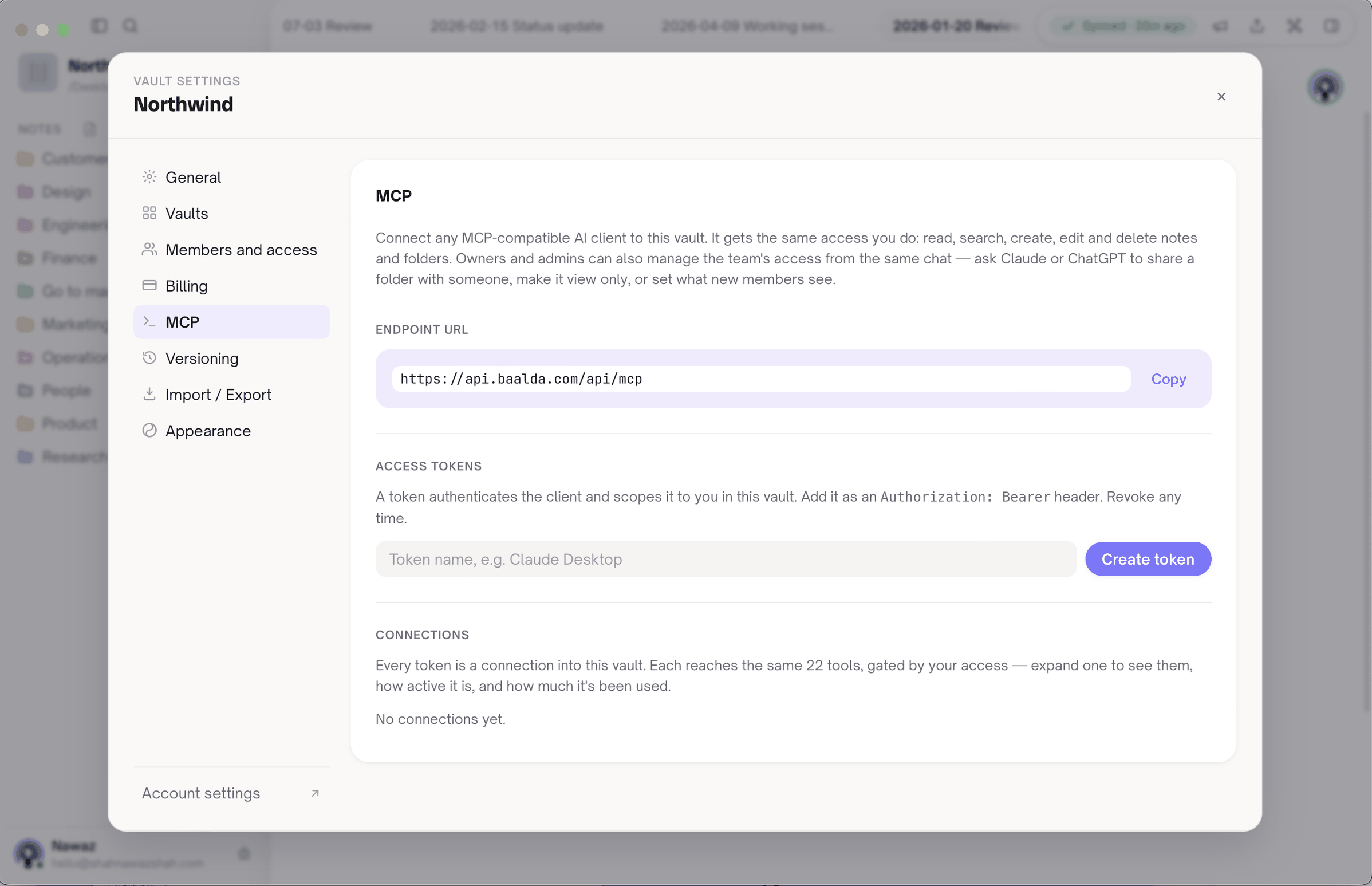
After that, the split looks like this:
- The project keeps the instructions. How to answer, what tone, which folders matter for this work. That text is short and rarely changes, so a copy is fine.
- The vault keeps the knowledge. Claude calls
search_notesto find the relevant notes andread_noteto read them. Each read returns whatever is in the file at that moment, including the edit a colleague made ten minutes ago. - Corrections go back to the file. When Claude finds something out of date it can call
edit_noteand fix the note itself.read_notereturns a revision. Pass it back on the write, and the edit is refused if someone changed the note in the meantime, so Claude never overwrites a colleague's newer version. The change syncs to everyone's copy like a person's typing, and the vault keeps its version history. - Permissions follow the person. Claude gets the access of whoever signed in, nothing more. A folder you cannot open in Baalda is a folder Claude cannot read through your connector. That is a finer split than Can view and Can edit on a whole project.
The vault does not count toward project knowledge either. Claude fetches notes when it needs them, so the 30MB per file and context window limits never apply to the vault as a whole.
When is project knowledge the right place?
Often. Uploading files is the right choice when:
- The material is fixed. A signed contract, a published paper, last quarter's board deck. Nobody edits these, so a copy never goes stale.
- One person owns the project. If you are the only one editing the source and the project, keeping the upload current is one more step in a habit you already have.
- The source is a Google Doc and the project is private. Drive sync keeps it current, with no other tool involved.
- Nobody wants to install anything. Uploading works on the free plan. Custom connectors, per Anthropic, need a paid plan.
The best second brain for Claude compares the other places a team might keep this, including Notion and Obsidian.
What does a vault not fix?
A vault does not give Claude a bigger context window. A 900-page manual still does not fit in one turn. Reading a vault over MCP means search, then read, which has the same weakness RAG has: a note the search does not surface is a note Claude does not see. Good titles and short, focused notes help both.
There are a few other trade-offs to know about. A custom connector points at one vault per person, so a team with two vaults re-authorises to switch between them. Anthropic's project pages do not say how connectors behave inside projects, so check the tools menu in a project chat before you build on it. And the knowledge is only as current as the team keeps it. A vault makes the correct version easy to edit and lets Claude fix it. It does not make anyone write it.