
Backlinks & graph
See how your team's notes connect.
Every [[wikilink]] becomes a backlink and a line in the graph as you write. Rename or move a note and nothing breaks, because links point at the note, not at its path.
Backlinks
Links that survive a rename.
Type [[ and link to any note. Each link is recorded against the note it points to, not its file path, so renaming or moving a note never breaks the links to it.
A link to a note that does not exist yet is kept too, so you can find the gaps later and write them.
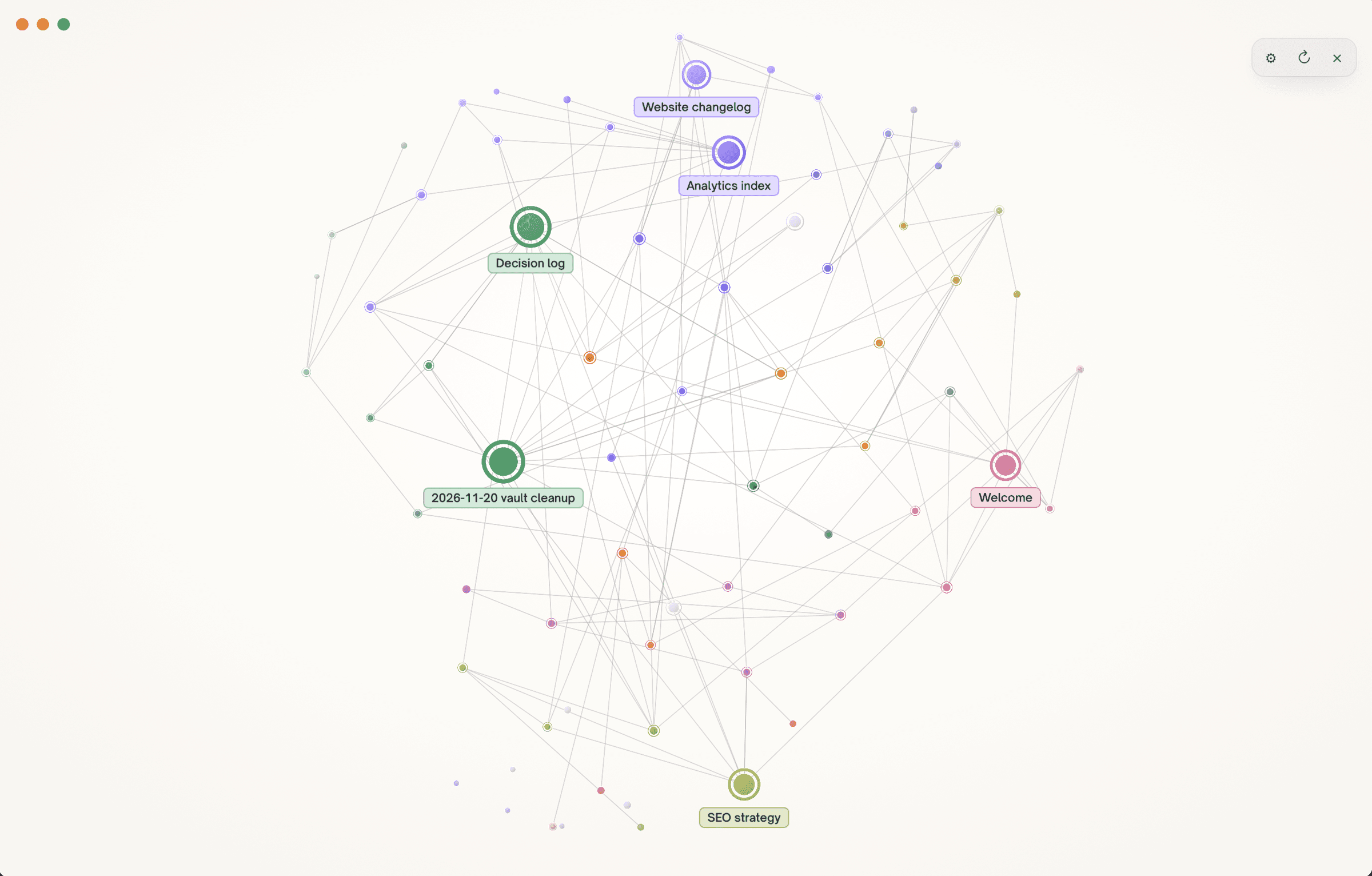
The graph
A map nobody has to maintain.
The graph is drawn from the links your team actually writes. It shows which notes everything else leans on and which ones sit on their own, and it changes as the vault does.
Search
Search notes and files together.
- Full textSearch titles and bodies with AND, OR, NOT and NEAR, with matches highlighted.
- Inside filesText from Word documents, spreadsheets, PDFs and CSVs is searchable next to your notes.
- Always currentThe index updates on every change, including ones an AI or git made to the files.
- TagsInline #tags and the tags property both count, and typing one suggests the tags already in the vault.
Good to know
What it does not do.
- The graph shows the links people write. It does not guess at connections that were never linked.
- The index is rebuilt from your files. After a bulk change made while the app was closed, it catches up when the vault opens.
FAQ
Frequently asked questions
Do links break when I move a note to another folder?
No. Links point at the note itself, so moving or renaming it keeps every link working.
Can I search inside PDFs and spreadsheets?
Yes. Baalda extracts the text from documents, spreadsheets, PDFs and CSVs and ranks it next to your notes.
Where is the search index stored?
In the vault's .context folder on your computer. It holds no original content and can be rebuilt from your files.
Start your team’s brain
Free and open source. No account needed.