
Markdown editor
Plain markdown files that read like a page.
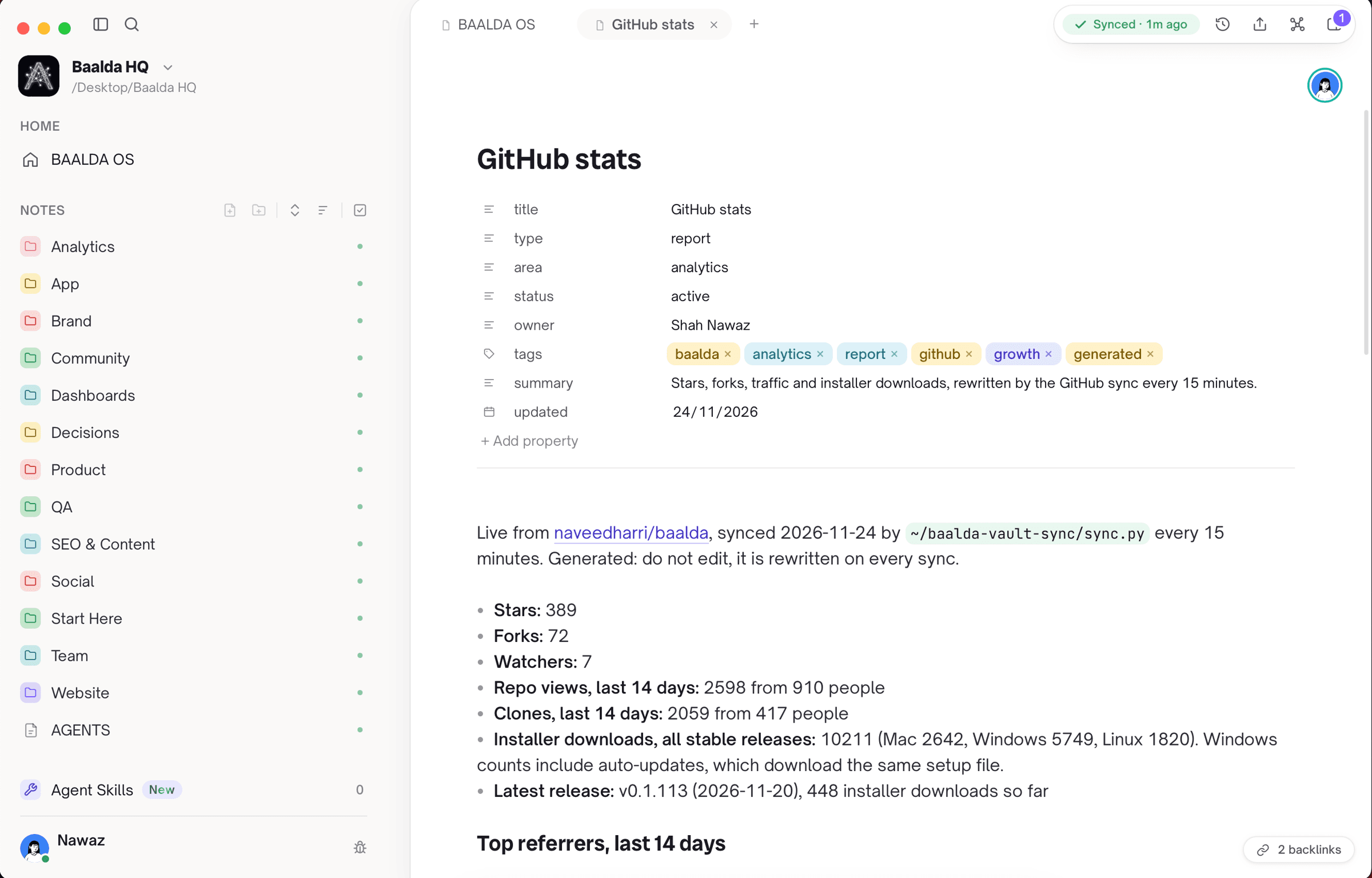
Every note is a real .md file in a folder you own. The editor shows it as a finished page, reveals the syntax only on the line you are writing, and saves straight to the file with nothing in between.
Your files
A vault is a folder.
Notes are .md files in an ordinary folder, and attachments sit beside them. The search index and the history live in a hidden .context folder and are rebuilt from your files, so the files stay the only source of truth.
The editor works directly on the markdown. There is no rich-text model in between and nothing is translated on save, so what you see is what is on disk.
Acme/
├── Projects/
│   ├── Launch plan.md
│   └── Roadmap 2027.md
├── Meetings/
│   └── 2026-11-24 Weekly sync.md
├── attachments/
│   └── pricing.xlsx
└── .context/        # the app's own index, never synced
Writing
Markdown, without looking at markdown.
- Syntax on the line you editMarkers appear only where your cursor is. The rest of the note reads as a finished page.
- Rich blocks render in placeCallouts, highlights, comments, tags, wiki links, syntax-highlighted code and Mermaid diagrams.
- Tables you can editClick a cell and type. Tab and Enter move between cells, and right-click adds or removes rows and columns.
- Sections foldCollapse long sections and they stay folded when you reopen the note.
- TabsOpen notes sit in one row of tabs at the top of the window.
- Rename from the titleA note's name is its file name. Change it and the tab, the sidebar and every link follow.
Properties
Frontmatter you fill in, not YAML you hand-edit.
The properties at the top of a note are a panel with real types: text, lists, numbers, checkboxes, dates and tags. They are still saved as frontmatter, so other tools read them as they always have.
If a note arrives with YAML Baalda cannot read, it is shown as source and never rewritten. A note written by another tool keeps whatever is in its frontmatter.
Any tool
Open the same file anywhere.
Because a note is just a file, any editor, git or an AI agent can change it. Baalda watches the folder, works out what changed and merges it with what your teammates are typing, instead of one save overwriting another.
Good to know
What it does not do.
- Notes are markdown. Richer layouts such as dashboards are separate HTML notes, covered on the Home dashboards page.
- Plain .txt files open as text, without markdown formatting.
- The server caps a note's total size, so one note cannot grow without limit through a sync fault.
FAQ
Frequently asked questions
Are my notes stored in a proprietary format?
No. Every note is a plain .md file in a folder on your disk. The app's index lives in a separate .context folder and can be deleted and rebuilt from the files.
Can I edit the same notes in VS Code or Obsidian?
Yes. Any editor can open the files. Baalda notices the change on disk and merges it with everyone else's edits.
Do wiki links break when I rename a note?
No. Links point at the note's id rather than its path, so renaming or moving a note keeps every link to it working.
Does it render Mermaid diagrams and code?
Yes. Mermaid diagrams render in place, and code blocks are syntax highlighted.
Start your team’s brain
Free and open source. No account needed.