
Version history
Roll the whole vault back, for everyone.
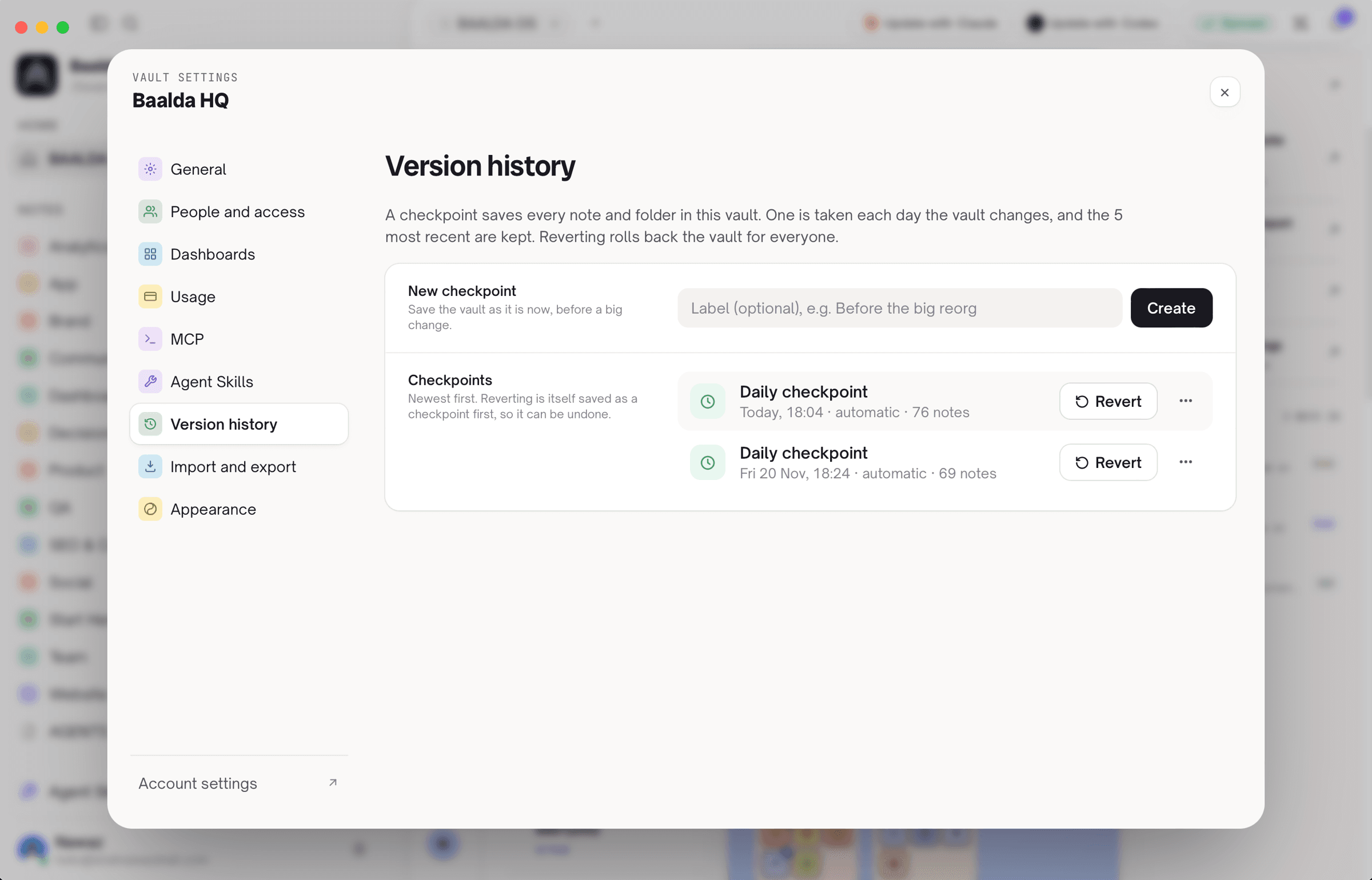
Checkpoints save every note and folder in the vault. One is taken each day the vault changes, you can make your own before a big change, and reverting rolls the vault back for the whole team, undoably.
Checkpoints
Every day, and whenever you ask.
A checkpoint saves every note and folder in the vault. One is taken automatically each day the vault changes, and the five most recent are kept.
Before a reorganisation or a big import, make your own with a label such as Before the big reorg. Reverting saves the current state as a checkpoint first, so even a revert can be undone.
One note
Every note keeps its own history.
A note's earlier versions are listed beside it. Restoring one is just another edit, so it can be undone the same way.
When a single edit removes most of a note, the server keeps the note as it was first, marked Before large deletion. A bad paste or a broken sync stays recoverable even if nobody noticed at the time.
Safety nets
Several ways back, for several ways to lose work.
- 30-day TrashA deleted note stays in the server's Trash for 30 days and can be restored from there.
- Recovery copiesBefore something leaves a device, edits the server never confirmed are saved to a recovery copy.
- Repair damaged notesOwners and admins can review notes damaged by a past sync fault and restore the ones they choose.
- Reset local copyThe last resort for one device: rebuild its folder from the server. Nothing changes for the team.
Good to know
What it does not do.
- Checkpoints belong to synced vaults. A local-only vault has its files and your own backups.
- Only the five most recent checkpoints are kept.
- A revert applies to the whole vault and everyone in it. To bring back one note, use that note's own history.
FAQ
Frequently asked questions
How often are checkpoints taken?
Once a day, on each day the vault changes. You can also create one yourself at any time, with an optional label.
Can I undo a revert?
Yes. Reverting saves the current state as a checkpoint first, so you can revert back to it.
How do I get back one deleted note?
Restore it from the server's Trash, where deleted notes stay for 30 days, or from that note's own version history.
Does reverting affect everyone?
Yes. A checkpoint revert rolls back the vault for every member.
Start your team’s brain
Free and open source. No account needed.